
Work with an AI agent
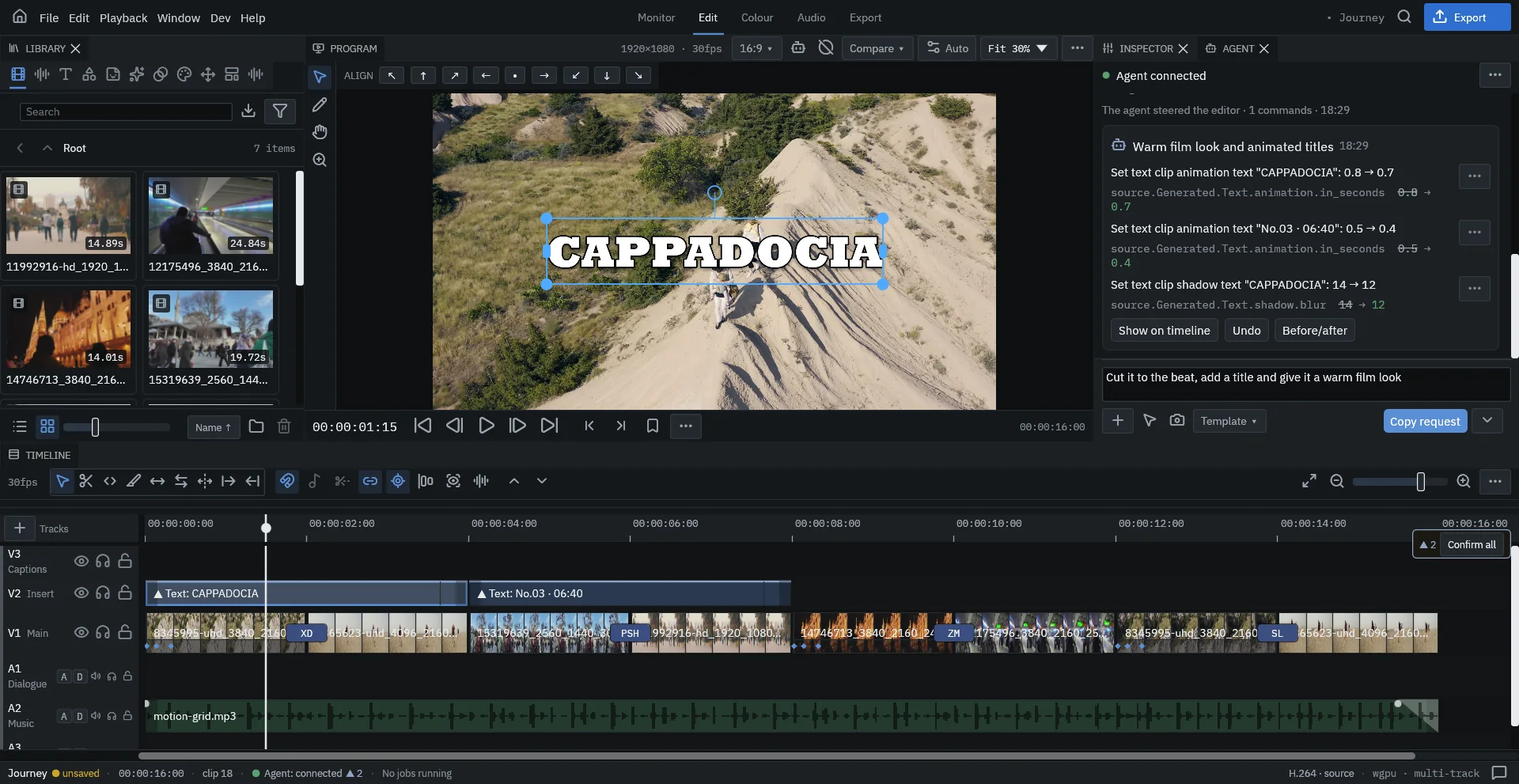
An AI agent — Claude Code, Codex, Antigravity or another one that runs commands — can cut, add effects, write titles, grade and export inside Dragon VE while you watch. You stay the editor: every change appears in the Agent panel and in your undo history.
How it works
Dragon VE opens a private connection on your own machine (127.0.0.1). Skills — short guides that ship with Dragon VE — teach your agent how to read the project, which commands exist and how to check its own work by rendering frames through the real compositor. The agent never sees your files through a cloud service of ours; your footage stays on your computer.
Set up your agent
Open Home → AI agents.
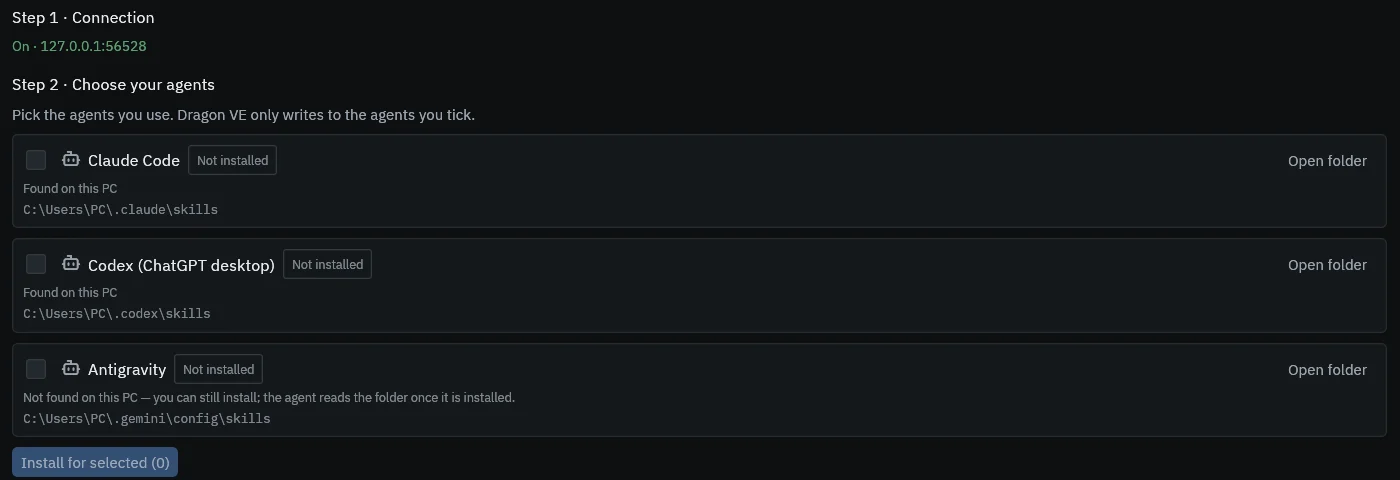
- Connection. Turn it on. The address shows when it is running.
- Choose your agents. Tick the agents you use and press Install for selected. Dragon VE only writes to the agents you tick, and it can update or remove the skills later.
- Try it. Start a new conversation in your agent and paste the test line. The page confirms when your agent reached Dragon VE.

Send a request
- Write what you want in the box at the bottom of the Agent panel — for example “Cut it to the beat, add a title and give it a warm film look.”
- Point instead of describing when it helps: the buttons below the box attach a region of the viewer, the selected clip, the playhead or a frame. G picks something on screen.
- Press Copy request (Ctrl+Shift+G) and paste it into your agent.
Review what it did
- Each request shows as one card listing every change with its old and new value.
- Show on timeline selects what it touched; Before/after compares; Undo reverts the whole request at once.
- Ctrl+Z works on agent changes exactly like on yours.
- Destructive commands — opening another project over unsaved work, overwriting a file — ask you first, and Dragon VE takes a backup.
From the command line
Dragon VE ships dragonctl, the same channel your agent uses. It prints the project state, runs any edit command, streams events and renders frames:
dragonctl state
dragonctl schema
dragonctl exec '{"App":{"CaptureFrame":{"path":"D:/check.png","at_seconds":2.0}}}'
Using an external agent requires accepting the terms in Home → AI agents. Agent tasks are counted each month according to your plan; queries, frame captures and playback are not counted. See the terms and privacy policy.